The LogisFil login form relies on a username/password pair whose format traps most users on the first attempt. The structural username consists of five digits, the operational username has eight digits, and the password corresponds to the date of birth in the format YYYYMMDD, without any separators.
Beyond input errors, the most difficult blocks to diagnose come from technical layers that the end user does not control: system clock discrepancies, browser extensions filtering scripts, silently rejected HTTPS certificates.
System Clock and HTTPS Certificate: the Invisible Block on LogisFil
A system clock discrepancy of just a few minutes is enough to cause the browser to reject the HTTPS certificate. The connection to the domain logisfil.fr then fails without an explicit error message. The user sees a frozen loading screen or a connection refusal that they mistakenly attribute to an incorrect password.
This issue primarily affects older devices with a depleted CMOS battery, or Android tablets that have been offline for several days. Checking the automatic time synchronization is the first reflex to adopt before any attempt to reset credentials.
On a Windows computer, the setting can be found in Settings > Time & Language > Date & Time, with the “Set time automatically” option enabled. On Android, the path is Settings > System > Date & Time. If automatic synchronization fails (NTP server inaccessible), a manual adjustment to the exact minute can resolve the situation. For those looking to connect to Logisfil via Blog Seniors, this point is detailed among the most common causes of blockage.

Browser Extensions and Private Browsing: Isolating the Cause of a LogisFil Connection Error
Adblock, anti-tracking, or built-in antivirus extensions regularly filter scripts and cookies from the domain logisfil.fr. The result: a form that seems to work, but whose submission never goes through, or a message saying “incorrect username” even though the entered information is correct.
We recommend a two-step diagnostic protocol:
- Open a private browsing window (Ctrl+Shift+N on Chrome, Ctrl+Shift+P on Firefox) and attempt to log in. This mode temporarily disables all extensions. If the connection is successful, the problem lies with an extension.
- Disable extensions one by one in the standard browser to identify the one that is blocking. The most common culprits are uBlock Origin, Privacy Badger, and the modules integrated into antivirus suites (Avast Online Security, Norton Safe Web).
- Add logisfil.fr to the whitelist of the identified extension, rather than disabling it entirely. The procedure varies by extension, but usually involves clicking on its icon and then selecting an option like “Do not filter this site”.
This diagnosis takes less than three minutes and avoids unnecessary reset requests to the employer structure.
LogisFil Digital Referent: Preventing Errors Before They Arise
Most articles on the subject treat connection errors as an individual problem. The experience of home help organizations that have deployed LogisFil shows that the establishment of an internal digital referent significantly reduces incidents. This referent centralizes reset requests, checks username formats in advance, and raises awareness among users about basic settings.
Username Check Procedure at Hiring
The critical moment occurs when handing over LogisFil credentials to the new user. We observe that the majority of recurring errors stem from an oral or approximate transmission of the password format. The digital referent can systematize a first access sheet containing three elements: the eight-digit code, a concrete example of the YYYYMMDD format applied to a fictitious date, and the immediate testing procedure on the browser recommended by the organization.
Verification of Users’ Devices
An annual check of date and browser settings on the devices used by the users helps anticipate seasonal blocks (time changes, Android updates that reset settings). This check can take the form of a checklist sent via internal messaging:
- Automatic time enabled on the phone or tablet
- Up-to-date browser (Chrome, Firefox, or Samsung Internet, avoiding browsers integrated into business applications that poorly manage modern scripts)
- No blocking extensions active on the domain logisfil.fr
- Successful connection test performed after each system update
Recovering LogisFil Access After Lockout: What Depends on the Organization
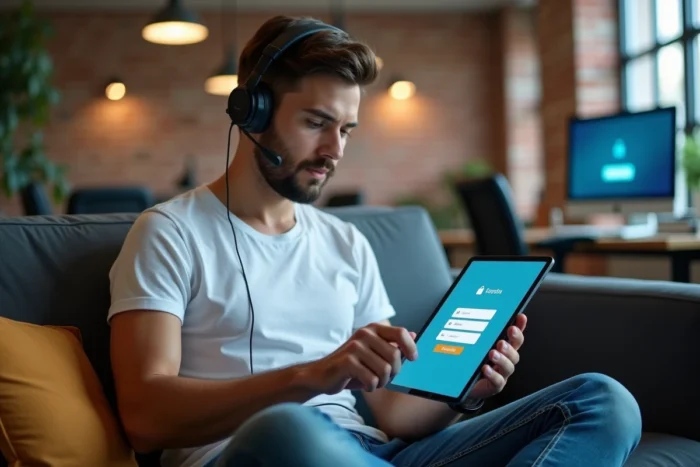
LogisFil does not offer a self-service “Forgot Password” button. All resets go through the employer organization, which distinguishes this system from most public web portals. After several failed attempts, the account may become temporarily locked.
The digital referent or the organization’s IT service must then verify that the username has not been disabled (departure of the user, contract change) and regenerate access if necessary. This process varies from one organization to another, as LogisFil is a telemanagement tool whose administration remains decentralized.
For beneficiaries, the five-digit username appears on the invoices issued by the organization. The password remains the date of birth in the format YYYYMMDD. In case of persistent doubt, directly contacting the home help service remains the fastest resolution channel, much more so than searching online for generic solutions.
Connection errors on LogisFil rarely stem from a platform bug. They reflect a local configuration issue (clock, browser, extensions) or a problem with the transmission of credentials. Organizations that invest a few hours a month in digital support for their teams notice a marked decrease in support tickets, and their users spend less time stuck in front of a loading screen between two homes.